Tips for Student Organization: Practical Strategies for Success

Picture this: It’s midnight, your desk is a mess, and you can’t find last week’s notes. Sound familiar? Most of us have been there, and honestly, it’s rough.
But with a few small tweaks, you can stop losing work and stressing over deadlines. Use a simple schedule, clear folders, and a short nightly review to keep assignments, notes, and study time under control.
Pick one system for tasks and stick with it—digital or paper, your choice. Break big projects into short steps and protect focused study blocks so you get more done with less panic.
Keep materials sorted and run quick routines at the start and end of each study session. When you build these habits now, school feels way more manageable and your time opens up for things you actually care about.
Key Takeaways
- Use a single, daily task system to track and prioritize work
- Break large assignments into small steps and schedule focused study blocks
- Keep materials organized and run short routines to start and end study sessions
| Challenge | Solution |
|---|---|
| Lost notes, missed deadlines | One system for tasks, clear folders, nightly review |
| Overwhelm with big projects | Break into steps, focused study blocks |
Mastering Time and Task Management
Let’s be real, a messy to-do list can make you want to quit before you start. Plan a weekly schedule, set clear personal deadlines, and pick tools that match your style.
Those small, consistent steps turn chaos into a reliable study plan and way fewer last minute rushes.
Building a Weekly and Study Schedule
Start with a one-page weekly schedule that shows class times, work shifts, and fixed commitments. Block those first. Then add study blocks of 50–90 minutes after tough classes, plus shorter review slots for lighter tasks.
Color code everything: one shade for classes, one for study, one for self-care. Keep the schedule somewhere you’ll actually see it—print it or use Google Calendar. Sync your school calendar (like Canvas) so exam and assignment due dates show up automatically.
Hold at least two weekly “catch-up” blocks for anything that slips. Keep one evening free for rest. After a test or big project, shift study time to other subjects so you don’t fall behind.
- Make your schedule visual and easy to access
- Color coding helps you spot gaps and conflicts fast
- Leave room for catch-up and rest
| Schedule Element | Tip |
|---|---|
| Class times | Block first, non-negotiable |
| Study blocks | 50–90 min after hard classes |
| Catch-up | 2 per week, flexible |
Setting Personal Deadlines and Priorities
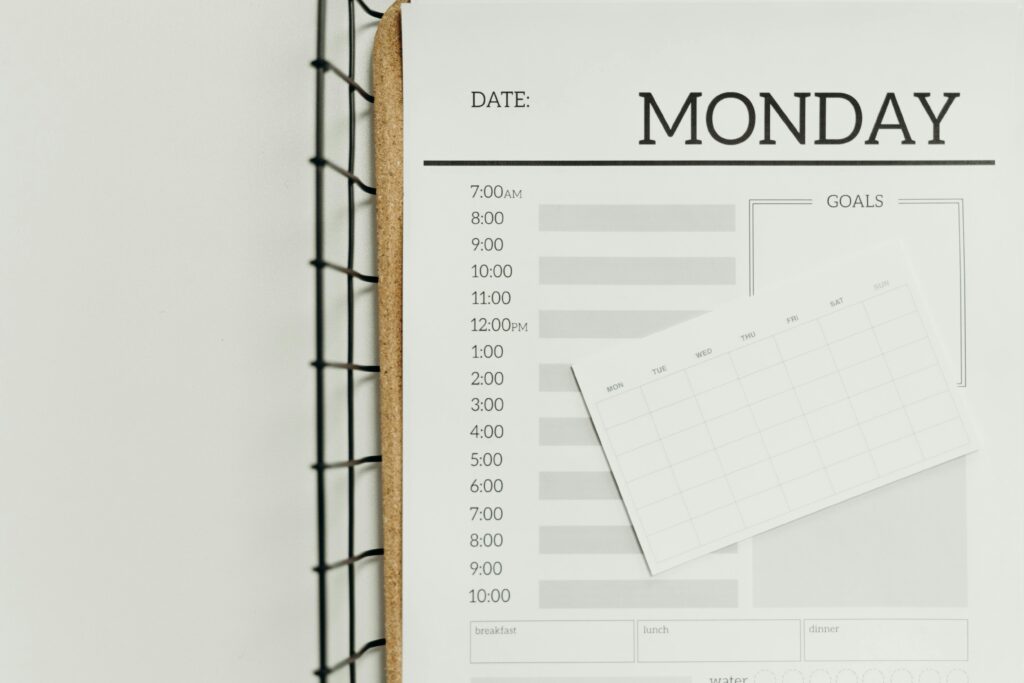
Give every task a personal deadline that’s earlier than the official due date. For example, set your own deadline two days before a paper’s Canvas due date—this buffer lets you edit and handle tech issues.
Prioritize with a simple system like the Eisenhower matrix. Handle urgent important tasks first, schedule important but not urgent ones, and skip or delegate low-value stuff. Label each task with a priority and rough time estimate.
Break big projects into steps with mini-deadlines. For a research paper: choose topic (day 1), find sources (day 3), draft outline (day 6). Check off steps as you go to avoid last minute cramming.
- Set your own deadlines before the real ones
- Label and rank tasks for clarity
- Break down big projects into smaller wins
Effective Use of Planners and Calendars
Choose one main planner and a digital calendar, and stick to both. A paper planner helps with daily focus, while a digital calendar (like Google Calendar) sends reminders and shows your week at a glance.
Sync events across tools so you don’t double-book. Create repeating study blocks and set two reminders—one a day before, one 30 minutes before. Use a task app like Todoist for details and link tasks to calendar slots.
Keep entries specific: “Read Ch.4, take notes (45 min)” beats “study history.” Check your planner every evening and tweak the next day. This habit keeps your student organization on track and makes task management less overwhelming.
- Stick to one planner and one calendar
- Set specific, actionable calendar entries
- Review and adjust daily
| Tool | Purpose |
|---|---|
| Paper planner | Daily focus, jotting tasks |
| Google Calendar | Reminders, big-picture view |
| Todoist | Detailed to-dos, priorities |
Organizing Study Materials and Digital Resources
Let’s face it, digging through piles of notes or mystery folders isn’t fun. Keep your paper notes simple and labeled, store digital files where you can find them fast, and set reminders so nothing slips through the cracks.
Organizing Notes and Class Materials
Set up a simple system for your notes. Label each notebook or binder with course name and term. Start each page with the date, lecture title, and a few key points.
Try the Cornell Method: split the page into cue, notes, and summary sections for faster review. Store returned assignments and handouts in a dedicated folder. Color-coded tabs or sticky flags help you find frequent topics quickly.
For group projects, use a shared folder for meeting notes and tasks. When you study, turn long notes into 5–10 bullet summaries. Use mind-mapping to visualize connections when concepts feel scattered. Bring summaries to group meetings to keep everyone on track.
- Label notes and folders clearly
- Use color and tabs for quick access
- Summarize and mind-map to clarify ideas
Managing Digital Documents and Files

Create a main folder per course in Google Drive. Inside, make folders for lectures, readings, and assignments. Name files like YYYY-MM-DD_course_topic_version—makes sorting and finding drafts way easier.
Share folders for group work so everyone edits the same doc. Turn on version history for safety. If you use Canvas, link key Drive files in course modules for easy access.
Tag or star important docs and keep a short index doc with links to essentials. Backup important files offline or to another cloud. Scan paper handouts with your phone and save them in the right course folder.
- One folder per course—keep it simple
- File naming patterns = less chaos
- Back up and tag crucial docs
| Action | Benefit |
|---|---|
| Label and organize folders | Faster file retrieval |
| Share group folders | Smoother collaboration |
| Back up files | No lost work |
Staying on Top of Assignments
Plug all due dates into Google Calendar as soon as you get the syllabus. Block study sessions for each assignment and set at least two reminders: one a week before, another two days out. Cross-check with Canvas Calendar for accuracy.
Break big assignments into steps with separate calendar events or checklist items: research, outline, draft, edit, submit. Use shared checklists for group work so everyone knows their role. Mark off steps as you finish for a confidence boost.
When you get a new assignment, jot down the grading criteria and word/format rules at the top of your notes. Meeting expectations gets easier, and you avoid last minute surprises.
- Sync all due dates early
- Break down tasks and track progress
- Write grading criteria for clarity
Developing Productive Study Habits and Routines
Good study habits don’t just happen. You’ll need to set up actions that cut distractions and protect your focus. Small tweaks to your space and schedule make those student organization habits stick.
Creating a Distraction-Free Study Environment
Pick one steady place to study and use it for most sessions. Clear the surface—just your current textbook, notes, and a charged laptop or tablet. Decent lighting and a comfy chair help you study longer without aches.
Control digital distractions. Turn off notifications, use a website blocker, or put your phone in another room. If you need apps for study, keep just one open and close social tabs.
Add little signals that cue your brain it’s time to work: a specific mug, a timer, or a tidy desk mat. These cues support executive functioning by making routines automatic and reducing decision fatigue.
- Keep your study space consistent and clutter-free
- Block out digital distractions
- Use cues to trigger focus
Building Consistent Routines
Plan your week with specific blocks for each subject. Treat those times like real appointments. Short, regular sessions beat rare marathon crams every time.
Try the Pomodoro Technique: study 25–50 minutes, then take a 5–10 minute break. Repeat four times, then take a longer break. Track Pomodoros each day to see your progress.
Write three clear goals for each session: what you’ll finish, what you’ll practice, and what you’ll quiz yourself on. This keeps study habits active and turns vague intentions into real results.
- Block study times like appointments
- Use Pomodoro for built-in breaks
- Set three goals per session
| Routine Element | Why it works |
|---|---|
| Consistent time and place | Reduces friction, builds habit |
| Pomodoro cycles | Boosts focus, prevents burnout |
| Session goals | Keeps you accountable |
Avoiding Multitasking and Enhancing Focus
Do one thing at a time. When you bounce between tasks, your brain takes a hit and you lose time. Quality drops too—no surprise there.
Use active study methods: self-quizzing, practice problems, and summarizing notes in your own words. Retrieval practice beats passive reading for retention, hands down.
If you get distracted, pause for a quick reset: water, stretch, and then restart your timer. Limit meetings or group chats to set slots so you protect deep work. Over time, saying no to distractions actually strengthens your executive functioning and makes focused study your default.
- Single-task for better results
- Active methods = better memory
- Protect deep work with boundaries
Leveraging Tools and Group Strategies for Organization
Honestly, scrambling at the last minute with your group is the worst. Use a clear set of tools and simple group rules so you avoid missed deadlines. Pick one main calendar, one place for files, and one way to track tasks.
Using Digital and Paper Tools
Choose a single digital calendar and sync it across devices. Put all class times, exams, and project deadlines in your calendar. Block study sessions and set 15–30 minute reminders before each event.
If you prefer paper, use a planner for daily priorities and notes. Cross-check the paper planner with your digital calendar once a week—just in case.
Store all course files in one cloud folder like Google Drive. Name files with course, date, and a brief description (for example: BIO101-2026-02-12-labreport). Use folders by course, then by assignment type.
For task lists, try Todoist or a simple checklist in your planner. Use labels or flags to mark must-do items, due dates, and estimated time. Review and update tasks every evening so nothing gets lost.
- One calendar and one folder for everything
- File naming and folder structure save time
- Update tasks daily for peace of mind
| Tool | How it helps |
|---|---|
| Digital calendar | Reminders, syncs across devices |
| Paper planner | Quick notes, daily priorities |
| Cloud folder | Central file storage, easy sharing |
So, with all these student organization strategies, which one will you actually try first?
References
Zimmerman, B. J., & Schunk, D. H. (2011). Handbook of self-regulation of learning and performance. Routledge.
Allen, D. (2015). Getting things done: The art of stress-free productivity (Revised ed.). Penguin Books.
Britton, B. K., & Tesser, A. (1991). Effects of time-management practices on college grades. Journal of Educational Psychology, 83(3), 405–410. https://doi.org/10.1037/0022-0663.83.3.405
Cepeda, N. J., Pashler, H., Vul, E., Wixted, J. T., & Rohrer, D. (2006). Distributed practice in verbal recall tasks: A review and quantitative synthesis. Psychological Bulletin, 132(3), 354–380. https://doi.org/10.1037/0033-2909.132.3.354
Dunlosky, J., Rawson, K. A., Marsh, E. J., Nathan, M. J., & Willingham, D. T. (2013). Improving students’ learning with effective learning techniques. Psychological Science in the Public Interest, 14(1), 4–58. https://doi.org/10.1177/1529100612453266
Eilam, B., & Aharon, I. (2003). Students’ planning in the process of self-regulated learning. Contemporary Educational Psychology, 28(3), 304–334. https://doi.org/10.1016/S0361-476X(02)00042-5
Gettinger, M., & Seibert, J. K. (2002). Contributions of study skills to academic competence. School Psychology Review, 31(3), 350–365.
Locke, E. A., & Latham, G. P. (2002). Building a practically useful theory of goal setting and task motivation. American Psychologist, 57(9), 705–717. https://doi.org/10.1037/0003-066X.57.9.705
Mayer, R. E. (2002). Rote versus meaningful learning. Theory Into Practice, 41(4), 226–232. https://doi.org/10.1207/s15430421tip4104_4
McDaniel, M. A., & Einstein, G. O. (2011). The testing effect: Why retrieval practice improves memory. Journal of Applied Research in Memory and Cognition, 1(1), 10–17. https://doi.org/10.1016/j.jarmac.2011.10.002
Newport, C. (2016). Deep work: Rules for focused success in a distracted world. Grand Central Publishing.
Pashler, H., Bain, P. M., Bottge, B. A., Graesser, A., Koedinger, K., McDaniel, M., & Metcalfe, J. (2007). Organizing instruction and study to improve student learning. Institute of Education Sciences. https://ies.ed.gov
Steel, P. (2007). The nature of procrastination. Psychological Bulletin, 133(1), 65–94. https://doi.org/10.1037/0033-2909.133.1.65
Zimmerman, B. J. (2002). Becoming a self-regulated learner. Theory Into Practice, 41(2), 64–70. https://doi.org/10.1207/s15430421tip4102_2