
7 Best Learning Apps That Are Changing Learning in 2025-2026: Innovative Tools

Picking the right learning tools feels overwhelming these days. There are so many choices, and everyone claims their app is the one that’ll change how you learn or teach.
This guide breaks down how modern apps are changing education. You’ll see how apps changing education can actually fit into your daily schedule, not just sound good on paper.
We’ll look at apps that boost engagement, improve access, and help you build real skills.
1) Praktika
Praktika brings AI avatars into your language learning routine. You pick a scenario, and the avatars chat with you, so you get real practice whenever you want.
After each session, Praktika shows you feedback on your pronunciation and grammar. It tracks your progress and tweaks the difficulty as you improve, which makes the learning curve feel smoother.
Plans are cheaper than most live tutors out there. The app adds new avatars and languages often, so it doesn’t get stale. If you want a deeper review, check out Linguasteps’ hands-on breakdown (https://linguasteps.com/resources/praktika-review-2025-ai-language-tutor-with-video-avatars-real-world-results).
Praktika works best for low-pressure practice and building a daily habit. If you’re aiming for advanced grammar or want feedback from actual humans, try it with other tools.
- AI-powered avatars for real conversation
- Tailored feedback and progress tracking
- Learning apps changing education with flexible, on-demand lessons
2) Perusall
Perusall turns reading into something social. You can highlight, comment, and ask classmates questions right in the text—no more reading alone in silence.
The app grades engagement automatically, which means less busywork for teachers and more focus on learning. It nudges everyone to prep and keeps discussions on track.
Instructors can assign readings and track who’s actually doing the work. Analytics flag confusing sections so you can spend class time where it counts.
- Social annotation and discussion built in
- Automatic engagement grading
- Learning apps changing education by making reading interactive
3) BibliU
BibliU puts all your textbooks and materials in one spot. You get digital books you can search, highlight, and annotate from any device.
It usually saves you money with subscription access and library-style collections. No more buying a stack of expensive books for every class.
You can read offline, and it syncs with some learning management systems. Teachers and librarians get analytics to see what students read most.
- Centralized, searchable digital textbooks
- Offline access and device syncing
- Learning apps changing education by lowering costs
4) Nearpod
Nearpod lets you run interactive lessons with slides, quizzes, polls, and videos. You sync content to student devices and collect responses in real time.
You control the pace, pausing or pushing activities to match your lesson. The platform has ready-made lessons and tools for building your own, even if you’re not super techy.
Live quizzes and open-ended questions give you quick data to adjust on the fly. If you want to compare alternatives, check G2’s roundup (https://www.g2.com/products/nearpod/competitors/alternatives).
- Interactive, real-time lessons
- Instant feedback and pacing control
- Learning apps changing education through classroom engagement
5) Byju’s
Byju’s teaches math, science, and language with short, animated videos. Lessons use visuals and step-by-step explanations that line up with school standards.
You get practice quizzes and adaptive review to target your weak spots. The app tracks your progress and suggests next steps.
Byju’s covers different grades and exams, so you can find what fits. Some features need a paid plan, so check before you dive in.
- Animated, curriculum-aligned lessons
- Adaptive review and progress tracking
- Learning apps changing education with visual learning
6) Skillshare
Skillshare focuses on creative and practical skills through short, project-based classes. You’ll find topics like design, illustration, and business that you can use right away.
Most classes are video-based and push you to make something, not just watch. You can get feedback from peers and build a portfolio as you go.
If you like self-paced lessons and want community critique, Skillshare fits. It’s less about theory, more about doing. Want to compare? There are plenty of reviews out there for top platforms.
- Project-based, creative classes
- Peer feedback and portfolio building
- Learning apps changing education for creative skills
7) Oboe AI
Oboe AI lets you create a mini-course from a single prompt. You get text, audio, quizzes, and games that all match your learning goal.
The app tailors content to your pace and level. If you’re more into listening, it generates audio lessons; if you want practice, it adds interactive items.
You control the curriculum—edit lessons, reorder modules, and swap formats to fit your style. Oboe speeds up lesson prep for teachers and study groups. Want details? Check the official announcement page.
- Instant, multi-format course creation
- Customizable content and pacing
- Learning apps changing education with AI-powered lessons
How EdTech Apps Are Transforming Learning
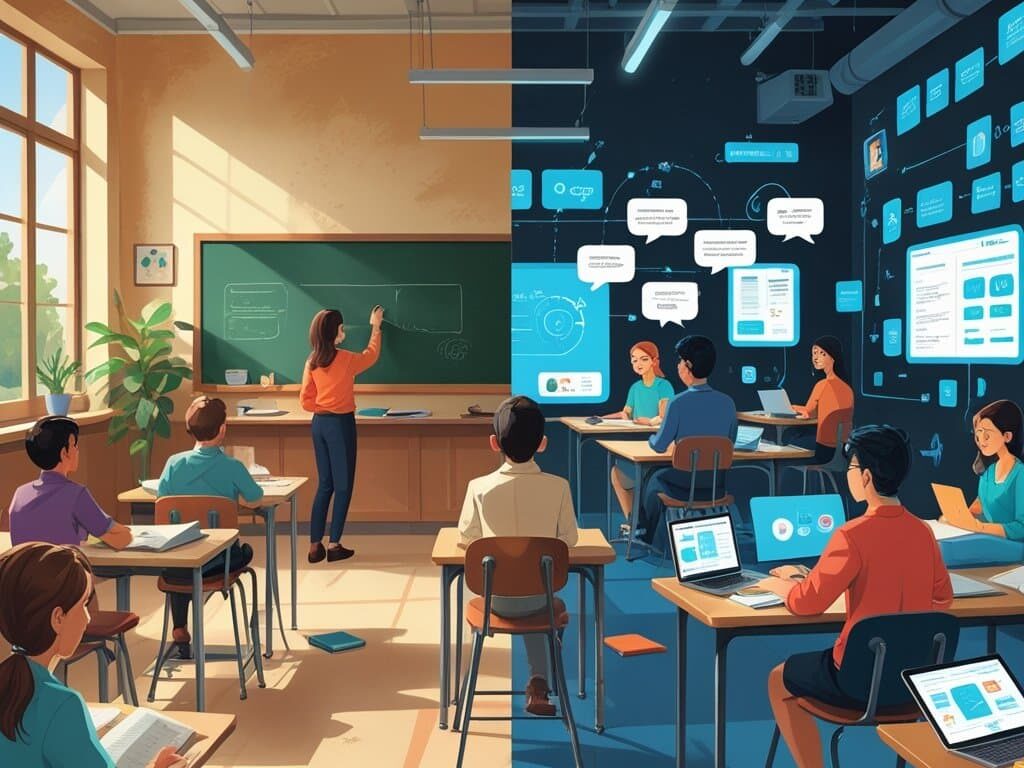
It’s wild how quickly educational apps are changing education. These tools don’t just hand you lessons; they adapt, track, and connect you in ways that old-school methods can’t match.
Personalized Learning Experiences
Apps now adapt lessons to your strengths and gaps. Adaptive platforms use quizzes and your interaction patterns to tweak the difficulty—math problems get harder only if you breeze through the easy ones.
You set your own goals and pick learning paths. Some apps offer micro-lessons, spaced review, and projects, so you control the pace and depth.
Look for apps that explain why an answer’s wrong and give follow-up practice. That’s how learning apps changing education actually help you fix weak spots, not just mark you wrong.
- Adaptive lessons that fit your pace
- Goal setting and self-directed paths
- Learning apps changing education by personalizing content
| Feature | Impact |
|---|---|
| Adaptive Quizzes | Challenge you at the right level |
| Micro-Lessons | Let you control depth and pace |
| Explanatory Feedback | Targets your weak spots |
Real-Time Progress Tracking
You see your progress as you work—dashboards show scores, time spent, and mastery for each skill. Teachers and students can spot trouble areas instantly.
Automatic grading and analytics mean you get feedback right away, not days later. That keeps your study time efficient and focused on what matters.
Some apps send alerts when you’re slipping or hitting milestones. Those nudges help you review or celebrate progress. You can even export reports for parents or supervisors.
- Instant feedback and analytics
- Progress dashboards and alerts
- Learning apps changing education with real-time data
Collaborative Digital Classrooms
Shared lessons, group projects, and peer review are all built into these apps. Real-time whiteboards and co-editing let you and your team work together without juggling a dozen tools.
Teachers can assign tasks, monitor group work, and give feedback right inside the app. Breakout rooms and challenges boost participation in online or hybrid classes.
Many platforms now connect with your learning management system and calendar. That cuts down on logistical headaches and lets you focus on learning.
- Built-in group tools and chat
- Teacher feedback and coordination
- Learning apps changing education with seamless teamwork
| Collaboration Tool | Benefit |
|---|---|
| Real-time Whiteboards | Brainstorm together |
| Breakout Rooms | Boost participation |
| LMS Integration | Simplifies assignments |
Future Trends in Learning Technology
Are Learning apps changing education? Absolutely. You’ll notice tools that make learning feel more personal, a little more fun, and a lot more tailored to your learning style.
AI and Machine Learning Integration
AI steps in to personalize lessons based on your performance, not just some generic plan. The system tracks your answers, how long you spend, and even where you trip up.
It’ll adjust difficulty, toss in quick reviews, or switch up the format—maybe you get a video instead of a wall of text, or practice problems pop up right when you need them. You get instant feedback, targeted hints, and step-by-step help if you’re stuck.
- AI adapts lessons in real time
- Feedback and hints come instantly
- Formats shift—video, text, practice, whatever works
Learning apps changing education here by letting AI tutors answer routine questions and generate practice problems that match your weak spots. Teachers still steer the ship: they set the goals, review what AI suggests, and add their own coaching.
Schools and companies use analytics dashboards to spot skill gaps across whole groups. They can plan short, focused interventions instead of guessing what’s wrong.
- AI tutors handle basics, teachers focus on coaching
- Dashboards highlight group skill gaps
- Interventions become more targeted
| Feature | Impact |
|---|---|
| Real-time personalization | Makes learning less frustrating |
| Instant feedback | Boosts motivation, reduces confusion |
| Analytics dashboards | Helps teachers act fast on group needs |
Privacy and bias? Big deal. Always check how a learning app stores your info and whether it’s tested with all kinds of learners. You want clear settings—export or delete your work, no hassle, and see how those recommendations actually come together.
- Learning apps changing education, but privacy needs attention
- Look for transparency and data control
- Diverse testing matters for fairness
Gamification of Education
Gamification, honestly, feels like it’s everywhere in learning apps changing education. These apps break practice into quick, goal-driven sessions that make you want to come back.
Levels, points, badges, and timed challenges? They’re not just for show—they nudge you into consistent practice. Micro-goals pop up all over: finish five flashcards, or knock out a 10-minute coding task.
It’s surprisingly effective for people with packed schedules. Good gamification ties rewards to actual progress, not just empty praise. Leaderboards let you compete with classmates or keep things private if that’s more your style.
- Levels, badges, and points motivate repeated use
- Micro-goals fit tight schedules
- Leaderboards offer choice: compete or stay private
- Rewards connect to real learning growth
Apps keep things interesting by adjusting the challenge level as you get better. That way, you don’t get bored or totally overwhelmed. Collaboration features—like team quests or peer review—bring in a social vibe that’s honestly pretty motivating.
| Feature | How It Helps |
|---|---|
| Adaptive Challenges | Keeps you engaged, not frustrated |
| Team Quests | Builds social learning, not just solo grind |
| Progress Reports | Links your effort to real results |
Conclusion

Learning apps changing education aren’t just a trend—they’re reshaping how we learn, teach, and connect. Whether you want adaptive feedback, collaborative projects, or just an easier way to manage textbooks, there’s a tool for you.
| App | Unique Strength |
|---|---|
| Praktika | Conversational AI avatars |
| Perusall | Social reading and annotation |
| BibliU | Affordable, searchable textbooks |
| Nearpod | Live, interactive lessons |
| Byju’s | Visual, curriculum-based videos |
| Skillshare | Project-based creative learning |
| Oboe AI | Instant, AI-powered course creation |
Learning apps are only going to get smarter and more personal from here. Which of these tools do you think could actually change the way you learn next year?
References
About Praktika: The AI English Tutor.” Praktika, 2025,
https://praktika.ai/.
Accessed 3 Feb. 2026.
“Best Nearpod Alternatives & Competitors.” G2, 2025,
https://www.g2.com/products/nearpod/competitors/alternatives.
Accessed 3 Feb. 2026.
“BibliU: The Learning Enablement Platform.” BibliU, 2025,
https://bibliu.com/.
Accessed 3 Feb. 2026.
“BYJU’S: The Learning App for K-12.” BYJU’S, 2025,
https://byjus.com/.
Accessed 3 Feb. 2026.
“Gamification in Education.” Edutopia, George Lucas Educational Foundation, 2024,
https://www.edutopia.org/topic/gamification.
Accessed 3 Feb. 2026.
“Guidance for Generative AI in Education and Research.” UNESCO, 2023,
https://www.unesco.org/en/articles/guidance-generative-ai-education-and-research.
Accessed 3 Feb. 2026.
“How Perusall Works: Social Learning.” Perusall, 2025,
https://www.perusall.com/.
Accessed 3 Feb. 2026.
“Nearpod: Interactive Lessons and Real-Time Insights.” Nearpod, 2025,
https://nearpod.com/how-it-works.
Accessed 3 Feb. 2026.
“Oboe: The AI-Powered Learning Platform.” Oboe, 2025,
https://www.oboe.com/.
Accessed 3 Feb. 2026.
“Praktika Review 2025: AI Language Tutor with Video Avatars.” Linguasteps, 2025,
https://linguasteps.com/resources/praktika-review-2025-ai-language-tutor-with-video-avatars-real-world-results.
Accessed 3 Feb. 2026.
“Skillshare: Online Classes for Creative Skills.” Skillshare, 2025,
https://www.skillshare.com/.
Accessed 3 Feb. 2026.
“The 2024 Horizon Report: Teaching and Learning Edition.” EDUCAUSE, 2024,
https://library.educause.edu/resources/2024/5/2024-teaching-and-learning-horizon-report.
Accessed 3 Feb. 2026.

Pingback: Harnessing Educational Technology to Inspire Learners
Pingback: Irresistible Classroom Essentials for Engaging Learning Experiences