Paper or Pixel? The Great Note-Taking Showdown
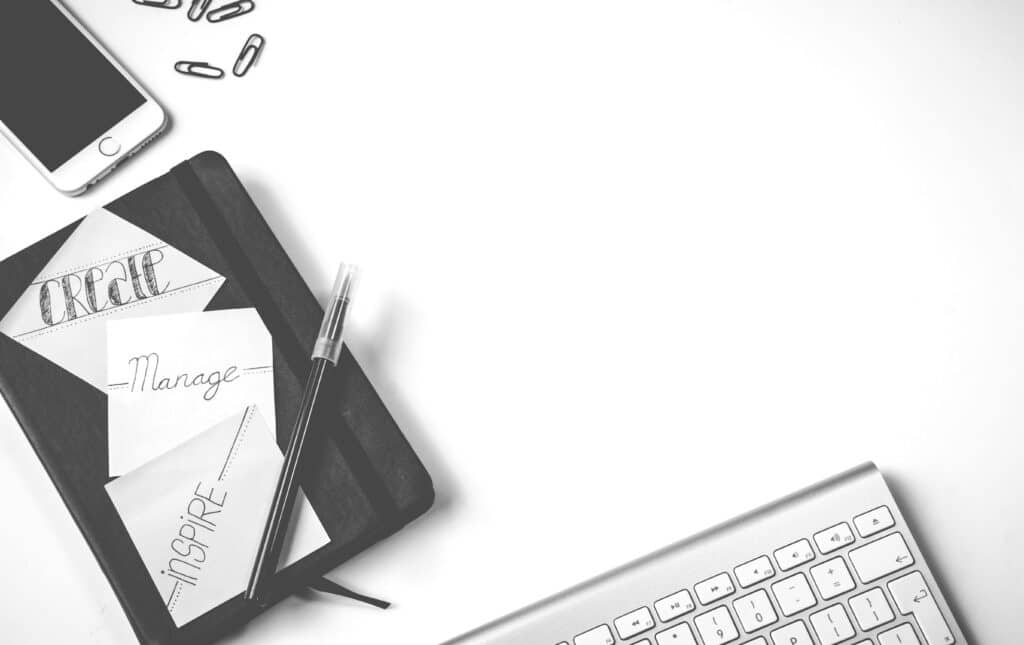
It’s 8 p.m., and Maya is cramming for her biology midterm. On one side of her desk sits a stack of colorful notebooks filled with scribbles and sticky notes. On the other, her tablet glows, loaded with neat digital outlines and cloud-synced highlights. She freezes, wondering—should she write or type tonight?
If you’re a student, this scene probably feels familiar. We live in two learning worlds: one of paper and one of pixels. Both promise to make note-taking easier, but which one really helps you learn?
Experts and educators have debated this for years. Some believe that handwriting locks knowledge into memory, while others argue that digital note-taking offers speed, organization, and modern flexibility.
Let’s break it down even simpler:
📝 Paper Note-Taking
- Slower pace helps you think before writing.
- Fewer digital distractions mean deeper focus.
- Easier to draw diagrams and quick sketches.
- Great for creative subjects or when learning by hand movement.
💻 Digital Note-Taking
- Faster for recording lots of information.
- Searchable—find keywords in seconds.
- Easy to edit, copy, and share with classmates.
- Syncs across devices, so your notes never get lost.
🔄 Hybrid Approach (Best of Both Worlds)
- Use paper for brainstorming and memory work.
- Switch to digital for organization and review.
- Snap photos of handwritten pages and upload them to digital folders.
- Add digital highlights and color codes later for clarity.
Most schools never teach students how to choose between these options. Instead, you’re left guessing which system fits your learning style. But your note-taking method should match you—your pace, your subject, and your goals.
At ScholarlySphere, our education and test-prep blogs explore how students can combine these methods to build powerful learning habits. We’ll break down which approach wins for focus, memory, and results—and how you can create a custom note-taking system that finally works.
So grab your favorite pen or power up your device. The showdown begins—who will win the battle of note-taking?
The Research and Reality Behind Note-Taking Choices

When it comes to note-taking, every student has an opinion—but what really works depends on how you use your tools.Studying how writing, typing, and reviewing information affect learning, focus, and memory. The results show that both paper and digital note-taking can be powerful when used the right way.
Let’s explore what the research—and real students—say about each method.
1. Paper Note-Taking: Slow and Steady Wins the Brain
When you take notes by hand, your brain works harder. You have to listen, think, and Decide what’s important before you write. That process creates deep encoding, which helps move information into long-term memory.
Researchers at Princeton University found that students who handwrote notes understood material better than those who typed because handwriting forced them to summarize and process ideas (Mueller and Oppenheimer, 2014). A study from the University of California confirmed that writing by hand improves conceptual understanding for complex subjects.
Why it works:
- Encourages reflection and critical thinking.
- Slower pace improves focus and comprehension.
- Boosts creativity and visual memory.
- Strengthens mind–hand connections.
Drawbacks:
- Harder to search or reorganize later.
- Time-consuming for very long lectures.
- Physical notebooks can be lost or damaged.
Best for:
- Subjects requiring deep understanding (literature, theory).
- Classes where drawing diagrams helps make sense of ideas.
- Students who want fewer digital distractions.
2. Digital Note-Taking: Fast, Organized, and Accessible
Digital note-taking has exploded with laptops, tablets, and styluses. It’s fast, clean, and efficient for review. You can type quickly, copy slides, and search for keywords in seconds.
A 2021 study from the University of Tokyo found that stylus-based digital notes helped students keep visual-spatial layouts when they used tablet apps (Mizumoto et al., 2021). A Microsoft Education report showed digital tools improve collaboration by letting students share and co-edit notes in real time (Microsoft Education, 2023).
Why it works:
- Speeds up recording of lots of information.
- Easy to reorganize and edit later.
- Built-in search and highlighting features.
- Cloud backup keeps notes safe across devices.
Drawbacks:
- Easier to multitask and get distracted online.
- Typing can encourage copying instead of processing.
- Devices need power and internet for some features.
Best for:
- Fast-paced lectures with many facts.
- Group projects and shared study guides.
- Students who prefer tidy, searchable files.
Paper vs. Digital Note-Taking
| Feature | Paper Notes | Digital Notes |
|---|---|---|
| Focus | Fewer distractions | Risk of multitasking |
| Speed | Slower writing | Faster typing |
| Memory | Stronger retention | Easier review |
| Organization | Manual sorting | Searchable & sortable |
| Flexibility | Sketches & doodles | Copy, paste, edit |
| Accessibility | Needs physical notebook | Cloud access anytime |
| Durability | Can get lost/damaged | Backed up automatically |
3. The Hybrid Approach: The Smart Middle Ground
Many students now use a hybrid system that combines the best of both worlds. You might jot key ideas on paper during class, then scan or type them into a digital folder later. This gives you the memory benefits of handwriting and the organization power of technology.
A 2023 study at the University of Cambridge found that students who wrote handwritten summaries then reviewed them digitally outperformed both all-paper and all-digital groups in retention tests. This method creates dual encoding—storing information in two ways—which helps recall.
Why it works:
- Encourages review by reprocessing notes.
- Keeps digital files neat while preserving personal touches.
- Balances deep learning with easy access.
Ways to combine both:
- Take handwritten notes in class, then type short summaries later.
- Use stylus apps that mimic handwriting on a tablet.
- Scan notebook pages with a phone app and store them in a subject folder.
- Add digital highlights and search tags to your scanned pages.
4. Choosing the Right Method: Practical Tips
Instead of using learning-style labels, try this simple test-and-tweak approach to find what works for you. These tips help you pick a method based on tasks and results, not on fixed categories.
Quick checklist to choose a method:
- Ask the task: Is this lecture fast and fact-heavy, or is it deep and conceptual? Use digital for speed and paper for depth.
- Try a one-week test: Use paper for one week, digital the next, then compare which notes you actually used to study.
- Check outcomes, not comfort: Which set helped you answer practice questions better? Pick that one.
- Mix intentionally: Choose paper for in-class processing and digital for organization and review.
- Watch your focus: If you get distracted on devices, use airplane mode or switch to paper.
Simple experiments to run:
- Speed test: During one lecture, type everything. Later, summarize those digital notes by hand and see which retained more.
- Recall test: After two days, try blurting from memory for notes taken on paper and notes taken digitally. Compare gaps.
- Review ease: Time how long it takes to find a specific fact in both formats.
These practical checks help you make decisions based on real results. The point is to use evidence from your own study, not a label from a quiz.
5. How ScholarlySphere Helps Students Improve Note-Taking
At ScholarlySphere, our note-taking and exam-prep blogs give tools, templates, and guided exercises to help students pick and use the best method.
What we provide:
- Blurting guides and timed retrieval-practice activities.
- Hybrid workflows that show how to scan, tag, and store handwritten notes.
- Focus tips to reduce device distractions during class.
We believe great note-taking is not about choosing a side. It’s about using the right tool for the job and testing what actually improves your exam scores.
6. Final Thoughts Before the Showdown
When researchers sum up decades of studies, they agree on one key idea: engagement matters more than the tool. Whether you use a notebook, tablet, or laptop, what counts is how you process, organize, and review what you record.
Quick recap of what works:
- For memory and deep thinking: Paper often helps more.
- For speed and easy organization: Digital shines.
- For balance and review: Hybrid methods tend to perform best.
At the end of the day, the real winner isn’t the pen or the keyboard—it’s the student who tests methods, tracks results, and uses notes as a tool to learn better.
Turning Notes into Effective Note-Taking

Imagine Maya again, sitting at her desk after a full week of testing both paper and digital notes. Her handwritten pages are full of sketches, arrows, and key points. Her digital folder is organized, searchable, and backed up safely. Now she can confidently review for her exams without guessing what’s important or worrying she missed something. That’s the power of effective note-taking.
Good note-taking isn’t about picking a side—it’s about using the right tool for the right task and reviewing your notes actively. Research consistently shows that students who combine engagement, organization, and retrieval practice outperform those who passively copy or type notes without purpose.
Here’s a quick checklist to make your own note-taking more effective:
- Capture ideas, not sentences. Write the meaning, not the words.
- Review early and often. Look over notes within 24 hours and again before exams.
- Use blurting. Close your notes and recall everything you can, then check and fill gaps.
- Incorporate visuals. Diagrams, arrows, and color codes help memory.
- Mix methods. Use paper for processing and digital for organization.
At ScholarlySphere, we help students turn notes into tools for learning:
- Digital organization tips for syncing and searching notes.
- Guided blurting exercises to reinforce memory.
- Exam-prep strategies using both paper and digital approaches.
FAQ
Effective note-taking turns scattered information into understanding. It builds confidence, reduces stress, and helps you actually learn instead of just copying. Whether you prefer the tactile feel of pen and paper or the speed of typing on a tablet, your notes should work for you—not the other way around.
So, as you prepare for your next exam, ask yourself: are you just writing words, or are you truly learning through your note-taking?
Works Cited
Mueller, Pam A., and Daniel M. Oppenheimer. “The Pen Is Mightier Than the Keyboard: Advantages of Longhand Over Laptop Note Taking.” Psychological Science, vol. 25, no. 6, 2014, pp. 1159–1168. SAGE Journals. https://journals.sagepub.com/doi/abs/10.1177/0956797614524581 Accessed October 19, 2025.
Umejima, Keita, et al. “Paper Notebooks vs. Mobile Devices: Brain Activation Differences During Memory Retrieval.” Frontiers in Behavioral Neuroscience, vol. 15, 2021, Article 634158. Frontiers. https://www.frontiersin.org/articles/10.3389/fnbeh.2021.634158/full Accessed October 19, 2025.
Microsoft Education. “AI in Education Report: Insights to Support Teaching and Learning.” Microsoft, 20 Aug. 2025. https://www.microsoft.com/en-us/education/blog/2025/08/ai-in-education-report-insights-to-support-teaching-and-learning/ Accessed October 19, 2025.