Mastering Classroom Organization: Essential Tools and Effective Methods
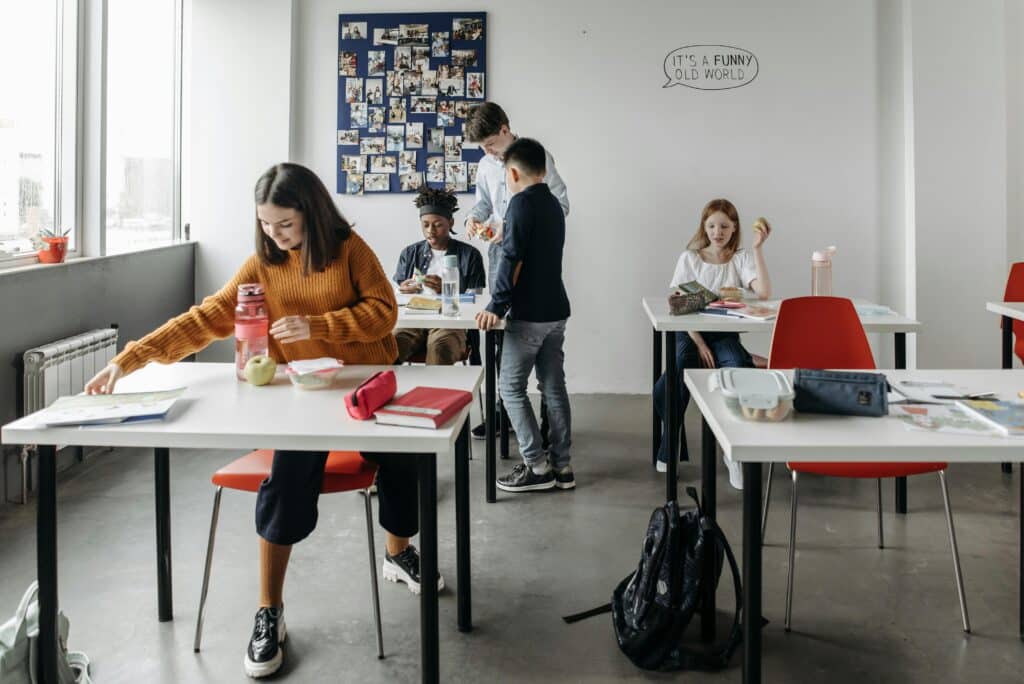
Transforming a messy classroom into a calm, efficient space isn’t impossible, it’s about making a few smart choices and sticking to them.
This guide will teach you how you can organize supplies, manage paperwork, and get students to be engaged, so you teach more and search less.
Key Takeaways
- Create simple systems that save time and reduce clutter.
- Use tools and routines students can actually maintain.
- Arrange the room to support learning, movement, and clear transitions.
Core Principles of Effective Classroom Organization
Routines that optimize your time, systems that teach students to be independent, and a classroom layout that supports focus, these are the bones of strong classroom organization.
Building Routines and Clear Expectations
Pick a handful of routines for entry, transitions, and clean-up. Post a visual schedule by the door and walk through each step out for a week.
Practice transitions with a timer. Aim for students to move in under a minute, no reminders needed.
Write expectations as short, positive statements: “Raise your hand,” “Return materials neatly,” “Walk quietly to line up.” Teach each rule with quick role-play and a simple consequence chart.
- Keep routines short and visual
- Practice with timers for speed
- Use role-play and charts for expectations
Stick to consistent responses: a quiet reminder, then a choice, then maybe a parent call if it really comes to that. Quick checks at the end of class—just two minutes—help straighten bins and collect papers.
Reward fast, correct routines with points or a tiny privilege. It’s amazing how much this reinforces classroom organization without feeling forced.
Promoting Student Responsibility
Give students temporary jobs and swap them weekly. Everyone does task like pencil refills, tech checks, or shelf tidying.

Post a job chart with names and easy checkboxes. Students like seeing their ownership and tracking what’s done.
- Rotate jobs weekly
- Use job charts with checkboxes
- Teach each job with a quick lesson
Teach each job in a short lesson. Show how to sort books or use the printer, then let students practice while you watch for two minutes.
Use rubrics with just a couple of criteria—neat, correct place, on time—so everyone knows what “done” looks like. When students do their jobs, praise specific actions: “You returned the markers to the right bin—thank you.”
Offer small, quick rewards: extra reading time, line leader, whatever works. This builds steady responsibility and keeps classroom organization from falling on you alone.
Optimizing Your Classroom Environment
Arrange furniture to match your teaching style—zones for reading, group work, materials, and your own area. Keep high-use supplies where students can reach them, and stash extras in labeled bins up high.
Label everything with words and pictures. Shallow bins and open shelving mean students can grab and return things fast.
- Zones for different activities
- Labels with words and pictures
- Shallow bins for easy access
Give each student one tray and one homework folder. This cuts down on lost papers and random clutter.
Control visual noise—keep bulletin boards focused, remove old displays monthly, and try softer lighting if you can. Small tweaks in layout and labeling make classroom organization predictable and help students feel at home.
Essential Tools and Resources for Organization
Some tools you can use are any tool which students can use, digital systems that save your time, and visual paper systems, these all are useful tools for classroom organization.
Must-Have Storage Solutions
Grab stackable bins, clear drawer units, and a rolling cart for supplies you move around. Pick color-coded folders and labels so students return things without asking.
Put pencils, scissors, and glue in low caddies at each table group for fast access. Reserve labeled trays or cubbies for portfolios and finished work.
- Stackable bins and clear drawers
- Color-coded folders
- Low caddies for supplies
Use wall pockets or over-door organizers to save floor space. Buy bins that can take a beating and wipe clean. Test lids and handles with students—if they can’t open them, what’s the point?
Digital Organization Tools

Stick to one main classroom app for assignments and communication—Google Classroom works, but pick what fits. Use a visual dashboard or a Classroomscreen widget to show timers and daily tasks on the board.
Trello or a simple Kanban app helps track long-term projects and your own to-dos. Keep your cloud folders matched to your classroom color codes for easy navigation.
- Main app for assignments and communication
- Visual dashboard for daily tasks
- Simple Kanban app for projects
Back up student portfolios digitally—scan key work into Seesaw or Google Drive, labeled by name. Set auto-save and sharing permissions before the year starts, so you don’t lose files mid-semester.
Paperwork Management and Visual Schedules
Set up a weekly paper routine: a turn-in tray, a graded-return tray, and an action tray for corrections. Label trays with icons and colors to match student folders.
Keep a class binder with sections for lesson plans, assessments, and school forms. You should be able to find what you need in under a minute.
- Turn-in, return, and action trays
- Color-coded tray labels
- Class binder for all paperwork
Post a big, simple visual schedule with pictures for each activity and a timer. Change cards daily and keep spares handy. Use one folder for daily work and another for portfolios; rotate samples monthly to keep things fresh.
Designing an Engaging and Flexible Classroom Layout
To create a classroom layout that support classroom organization you could use zones, varied seats, and smart desk layouts.
Creating Functional Zones and Reading Nooks
Set up clear zones: a whole-class area with a board, a group table, a solo work zone, and a reading nook. Rugs or low shelves help mark boundaries, making activities obvious for students.
For the reading nook, use beanbags or a loveseat, a small shelf labeled by level, and soft lighting. Keep books organized and a reading log box close by.
- Zones for class, group, solo, and reading
- Soft seating and calm lighting
- Reading log box for tracking
Include a “calm corner” kit: headphones, fidgets, a feelings chart, and a clipboard with prompts. These help students self-regulate without leaving the room. Rotate displays and books each season to keep the space interesting and relevant.
Implementing Flexible Seating Options
Offer at least three seat types: standard desks, a few tall stools or standing desks, and soft seating like cushions or wobble stools. Let students pick seats for different tasks—standing desks for labs, soft seating for reading, solid desks for tests.
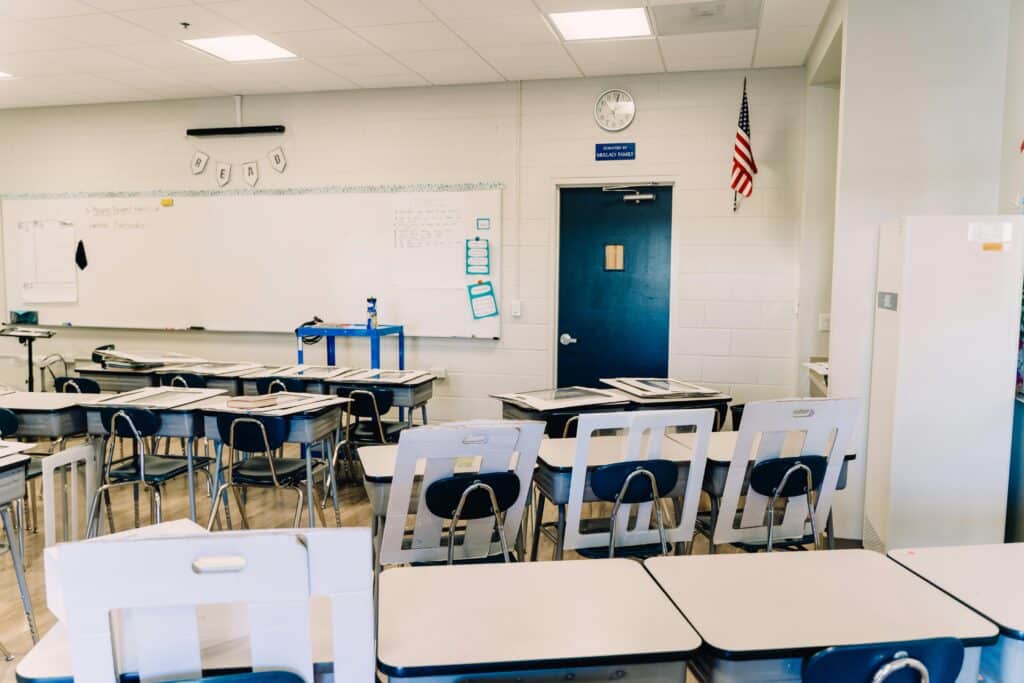
Label each seat type with task ideas and rules. For example, “Standing desk—use for labs, 15-minute limit.” Keep a checkout chart so everyone gets a fair turn.
- Three or more seat types
- Labels with task suggestions
- Checkout chart for fairness
Store personal items close to each seat type. Place charging stations at a central table. Train students on seat expectations the first week, and check posture and attention with quick reminders.
Optimizing Seating Arrangements
Match seating to the lesson. Use rows for direct instruction, clusters for group work, and clear perimeter space for gallery walks.
Think about traffic flow—leave at least three feet between main pathways and keep the teacher table up front. Angle desks away from doors to cut distractions.
- Change seating for each lesson type
- Consider traffic and sightlines
- Weekly or unit-based arrangement changes
Place students who need fewer interruptions near you or away from noisy spots. Use a seating chart that matches your grouping goals and keep a quick map handy so you can reset the room fast.
Classroom Management Strategies for Organization
You can use daily routines and consequences to make your students behavior predictable and keep your classroom organization on undisrupted.
Classroom Management Techniques and Behavior Charts
Post 3–5 rules by the door and refer to them every day. Teach one routine at a time: entry, turning in work, lining up. Practice each the first week, then again after breaks.
Behavior charts should track actions, not labels. Make a chart with student names, target behavior, date, and consequence or reward.
- Short rule list posted visibly
- Teach and practice routines
- Behavior charts for actions
Use quick checks during transitions to mark progress. Feedback should be immediate—a private note or a point on the chart usually works best.
Try a tiered approach: universal expectations, small-group supports, and individual plans as needed. Start with positive reinforcement—praise, class points, or privileges. If you need a consequence, make it brief and related, like moving a seat or a short timeout.
| Strategy | Purpose |
|---|---|
| Short rule list | Keeps expectations clear |
| Behavior charts | Tracks specific actions |
| Immediate feedback | Reinforces routines fast |
Record patterns so you can adjust strategies on the fly. Classroom organization really thrives when management and routines work together, not against each other.
Honestly, isn’t it amazing how a few tweaks can make the day run smoother? What would your ideal classroom organization look like if you could change just one thing?
Classroom organization isn’t about perfection—it’s about finding what works for you and your students, and being willing to adapt. Even one small change can make the whole day feel lighter.
So, what’s the first tweak you want to try in your own classroom organization?
Leveraging Communication Tools

Pick just one app for family messages and truly stick to it. ClassDojo, Seesaw, or Remind all work—just don’t bounce between them.
Share photos, behavior updates, and those quick reminders right through your chosen app. Post weekly routines, materials lists, and a brief behavior note if something pops up.
Set your own norms for communication. Maybe you update the class feed twice a week and answer parent messages within 24–48 hours. Keep your messages clear and factual, even if it’s tempting to write more.
- Stick to one app for all family communication
- Share routines, lists, and quick notes regularly
- Set realistic response times for yourself
- Keep messages straightforward and honest
Send out a monthly behavior snapshot—celebrate the class wins, point out a couple areas to work on. If something individual comes up, ask for a quick call or conference and jot down what you both agree to do next.
Show students how to check their own agenda or digital folder every day. Post missing work and classroom job rotations right on the same platform. This cuts down on parent questions and gives students more control over classroom organization.
Encouraging Student Engagement through Organization
Give students classroom jobs tied to organization, like a materials monitor, tech helper, or cleanup captain. Switch up these roles every week, so everyone gets to try out these positions.
Stick clear job instructions on little cards. That way, students can handle their tasks without constantly checking in.
Use bins and visual labels for supplies. For younger kids, add pictures alongside words—it helps more than you’d think.
Place a simple checklist at each center. This gives students a clear idea of what to do before they move on.
- Classroom jobs foster responsibility and routine
- Visual cues and labels make organization accessible
- Checklists guide students independently
Try a 60-second cleanup song or a fast exit checklist. When students know what to do, your classroom procedures actually get more efficient.
References
Edmund T. Emmer and Carolyn M. Evertson. Classroom Management for Middle and High School Teachers. Pearson, 2016, https://books.google.com/books/about/Classroom_Management_for_Middle_and_High.html?id=fqp5CwAAQBAJ
Edutopia. “8 Small But Impactful Classroom Management Shifts.” Edutopia, 25 Apr. 2025, https://www.edutopia.org/article/small-but-impactful-classroom-management-shifts
Edutopia. “Flexible Classrooms: Research Is Scarce, But Promising.” Edutopia, 14 June 2018, https://www.edutopia.org/article/flexible-classrooms-research-scarce-promising
Brandi Simonsen, et al. “Evidence-Based Practices in Classroom Management: Considerations for Research to Practice.” 2008. PDF (systematic review), https://dropoutprevention.org/wp-content/uploads/2015/05/Simonsen_Fairbanks_Briesch_Myers_Sugai_2008.pdf
Organisation for Economic Co-operation and Development (OECD). Teaching for the Future. OECD, Apr. 2023, https://www.oecd.org/education/teaching-for-the-future-6ea7c25d-en.htm
Harvard Graduate School of Education. Heather Corn. “Does it Matter How Teachers Use Class Time?” Harvard Graduate School of Education: Ed. Magazine, 21 May 2024, https://www.gse.harvard.edu/ideas/ed-magazine/24/05/does-it-matter-how-teachers-use-class-time
YouTube. “Top 8 Effective Classroom Organization Tips that Support …” YouTube, uploaded by channel, https://www.youtube.com/watch?v=CW4PoyPjd2Y
YouTube. “My ALL TIME Classroom Organization FAVORITES | Top 10 …” YouTube, uploaded by channel, https://www.youtube.com/watch?v=7RJlrvTnVow
YouTube. “How to Reimagine Classroom Design & Layout” YouTube, uploaded by channel, https://www.youtube.com/watch?v=82UdvMBOzgc
YouTube, https://www.youtube.com/watch?v=K5Cf0PADs-A
American Institutes for Research (AIR). “Classroom Routines and Procedures: Practical Strategies to Reduce Disruption,” research summary, https://www.air.org
Edutopia. “Designing Flexible Seating With Elementary School Students.” Edutopia, https://www.edutopia.org/article/designing-flexible-seating-students